YouTube Live · one-click channel connect

AI live shopping on YouTube Live, genuinely 24/7

YouTube is the only major platform with no hard cap on how long a stream can run. Connect your channel once and your AI creator presents your catalog, answers chat with real product specs, and keeps selling while you sleep.
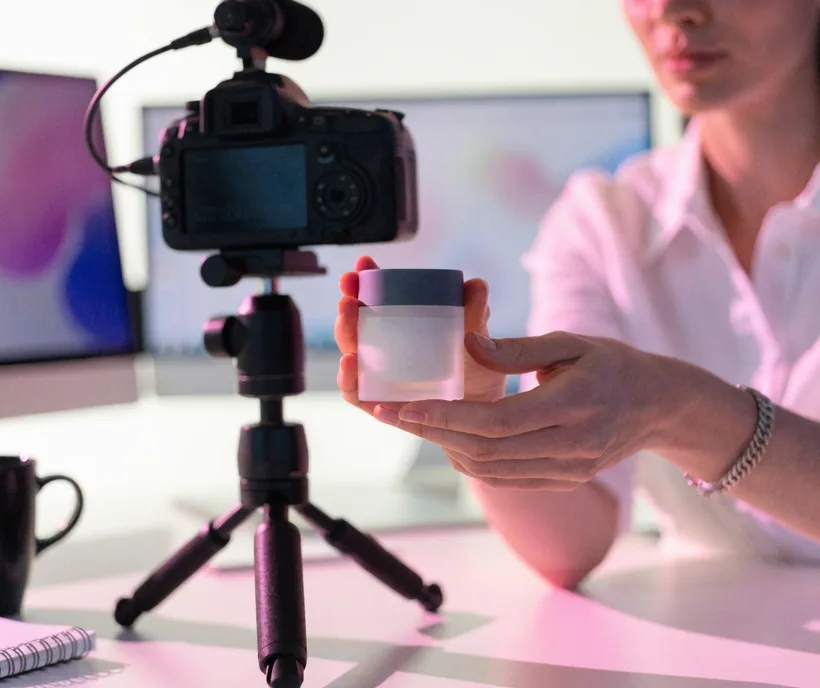
TwinTone AI live-shopping stream broadcasting to YouTube Live with pinned products and real-time chat

What YouTube actually allows — before you plan the channel

Stream length
No duration limit. YouTube supports true continuous streaming; only streams under 12 hours are archived as VOD afterwards.
To stream at all
A verified channel (phone verification). Enabling live for the first time can take up to 24 hours, so do it before launch day.
Subscriber minimum
None for encoder or desktop streaming. The 50-subscriber rule applies to mobile live only, which is not how TwinTone streams.
Product tagging in live
That is the separate YouTube Shopping affiliate program: 10,000+ subscribers, in the YouTube Partner Program, and based in one of its supported countries. TwinTone works with or without it — pinned links and on-screen product cards do not require the program.

Sources: Verified August 2026 against YouTube Help: creating a live stream with an encoder, live encoder settings and bitrates, and YouTube Shopping affiliate program eligibility. Platform rules change — check YouTube Studio before launch.

How it works

Three moves from signup to a stream that sells.

1

Connect your channel

In TwinTone, open Connect and authorise your YouTube channel through Google's own consent screen. No stream keys to copy, nothing to paste.

2

Load your catalog

Import your Shopify store in one click, or add products manually. Descriptions and prices become the knowledge your AI creator answers chat with.

3

Flip Always On

Pick your creator, pin your products, and turn on Always On. The run-of-show loops with rotation so repeats are never verbatim, and YouTube lets it run indefinitely.

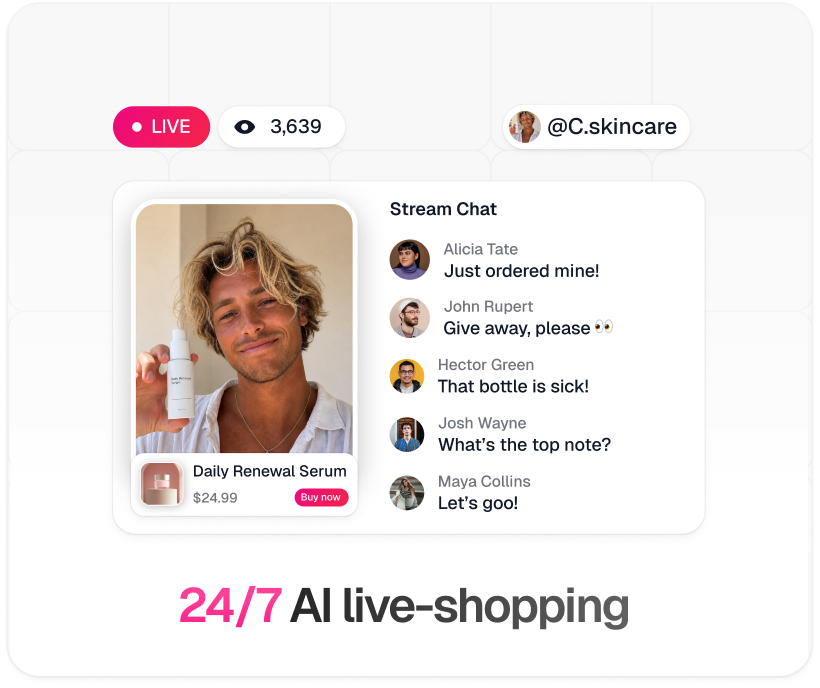
TwinTone 24/7 AI live-shopping stream: live badge, viewer count, pinned product with Buy now button, and real-time stream chat
Step by step

Your route to going live

Pick a path, then follow it top to bottom. Nothing skipped, nothing assumed.

1
Create your TwinTone account and open Connect.
2
Choose YouTube Live and approve access on Google's consent screen.
3
Pick your AI creator, pin the products you want presented, and choose a stage preset.
4
Run a private test stream first, then go live. TwinTone renders the stream and delivers it to YouTube for you — you never touch a stream key.

Best for almost everyone. Nothing to install, nothing to keep running on your own machine.

1
In YouTube Studio, go to Create → Go Live → Stream and copy the Stream URL and Stream key. Treat the key like a password; regenerate it if it ever leaks.
2
In OBS, add your TwinTone stream as a Browser Source pointed at your TwinTone embed URL, then layer in your own overlays, lower-thirds, or a second camera.
3
In OBS, open Settings → Stream, choose YouTube (or Service: Custom), and paste the server URL and stream key.
4
Match YouTube's encoder guidance below, hit Start Streaming, and confirm the health indicator in YouTube Studio reads green.

Choose this when you want your own graphics package, multiple sources, or a human co-host cutting in alongside the AI creator.

YouTube encoder settings
ProtocolRTMPS recommended (encrypted to Google's servers)
Video codecH.264
Audio codecAAC, 128 Kbps
Keyframe interval2 seconds
Rate controlCBR (constant bitrate)
Bitrate, 1080p604,500 – 9,000 Kbps

Why brands run it this way

The only major platform with no stream-length cap — Always On runs uninterrupted
OAuth channel connect: no stream keys to copy, rotate, or leak
AI creator answers chat with real specs pulled from your product descriptions
Works whether or not you qualify for the YouTube Shopping affiliate program
Streams under 12 hours archive as VOD, so every session keeps earning views
Every stream auto-clips into short-form for Shorts distribution
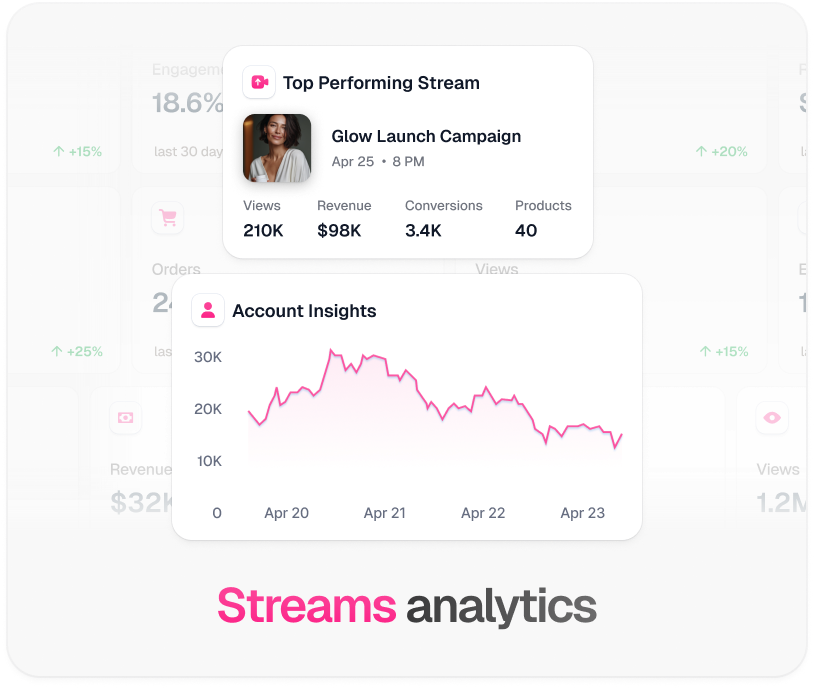
TwinTone stream analytics: top performing stream revenue, conversions, and account insights graph

Every platform TwinTone streams to

One creator, one catalog, one script — pointed at whichever surface your buyers are on.

YouTube Live FAQ

Do I need 1,000 or 10,000 subscribers to use this?

Not to stream. Encoder and desktop streaming have no subscriber minimum — the 50-subscriber rule applies only to mobile live. The 10,000-subscriber threshold is for YouTube's Shopping affiliate program, which adds native product tagging. TwinTone works without it: your creator presents products on screen and links to your own checkout.

Can a TwinTone stream really run 24/7 on YouTube?

Yes — YouTube places no hard limit on how long a live stream can run, which makes it the strongest home for an always-on AI channel. Turn on Always On in the launch dialog and the run-of-show loops with rotation so the stream never replays verbatim. One thing to size correctly: streaming time is metered against your plan and billed, so a genuinely round-the-clock channel needs a plan built for it rather than Starter's 300 minutes.

How long does it take to get live streaming enabled?

Your channel needs phone verification, and enabling live for the first time can take up to 24 hours. Do this before the day you plan to launch.

Do I need OBS?

No. Route A connects your channel over OAuth and TwinTone delivers the stream directly. OBS is only for teams who want their own overlays, extra camera sources, or a human co-host in the mix.

Will YouTube think my stream is a recorded video?

Streams shorter than 60 minutes are the ones that risk being read as recorded playback. Always-on streams run continuously with rotation specifically to avoid that, and every TwinTone creator reads live chat in real time.

Does the AI host have to be disclosed?

Yes, and it is by default. Every TwinTone creator states that it is AI, and the disclosure is locked — viewers cannot bait the host into denying it. Label AI content in line with YouTube's disclosure expectations as well.

YouTube never sleeps. Neither should your storefront.

Connect your channel, pick your AI creator, and go live tonight.

Get started →

TwinTone is not affiliated with Google LLC. YouTube is a trademark of Google LLC.