Time-Sensitive Tactics for Live Shopping Events
How to build a futureproof relationship with AI
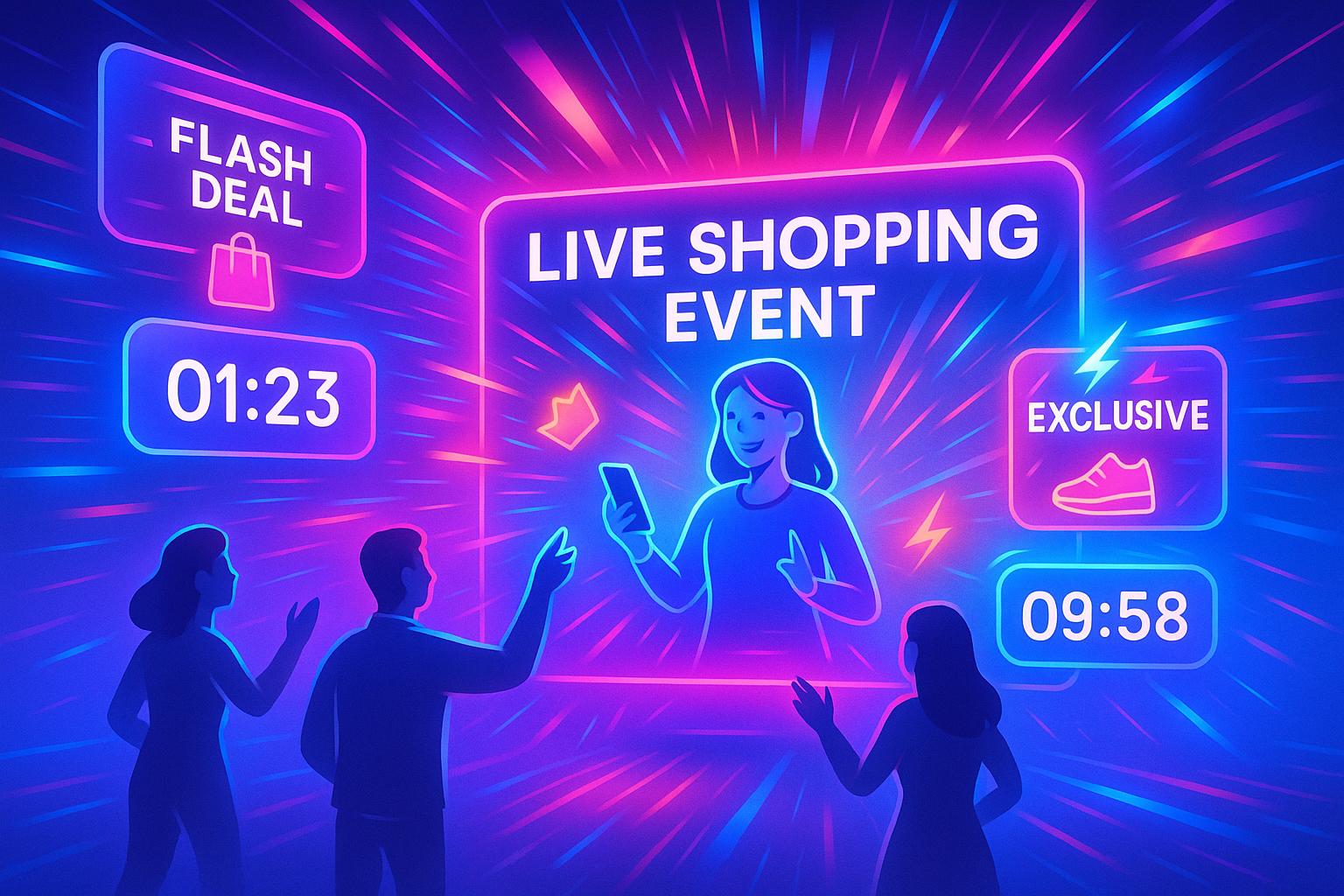
Live shopping events combine real-time video, instant purchasing, and audience interaction to create a fast-paced buying experience that encourages impulse purchases. Here's how to make them work:
Urgency Drives Sales: Use flash sales, countdown timers, and limited stock messages to create FOMO and push viewers to act quickly.
Exclusivity Works: Offer live-only deals, early access, or perks for the first buyers to boost engagement.
AI Enhances Reach: Tools like TwinTone’s AI Twins allow brands to host 24/7 livestreams, answer FAQs, and run flash sales automatically.
Plan and Promote: Schedule events during peak times, build hype with countdowns and teasers, and send reminders to maximize attendance.
Engage During the Event: Use polls, Q&A sessions, and giveaways to keep viewers involved and drive conversions.
Follow-Up Matters: Send personalized thank-you messages, share event highlights, and offer post-event discounts to maintain momentum.
Live shopping thrives on urgency, exclusivity, and interaction. Use these tactics to boost conversions and keep your audience coming back for more.
Live Shopping Event Timeline: Pre-Event to Post-Event Strategy
Planning Your Live Shopping Event
Choosing the Right Time and Knowing Your Audience
To maximize engagement, dig into your analytics from the past 30–90 days across platforms like social media, e-commerce, email, and SMS. Look for trends in peak activity. For many U.S. brands, weekday evenings (7:00–9:00 p.m.) and weekend afternoons tend to perform well. If your audience spans multiple time zones, decide whether one nationwide event works best or if separate sessions for East and West Coast viewers make more sense. Test different time slots over a few events to find the sweet spot, then stick with what works. You can also ask for direct input by adding a quick post-purchase survey question: “When would you most likely watch a live product demo?”
Segmenting your audience is equally important. Use purchase history and interests to identify distinct groups - like repeat buyers versus newcomers, budget-conscious shoppers versus those who prefer premium products, or specific product category preferences. Tools like past order data, email lists, and social media polls (e.g., “What do you want to see live?”) can help you refine your targeting. This way, you can tailor everything from the event theme to urgency tactics. For instance, a “budget beauty night” will resonate differently than a “pro skincare clinic.” These insights also lay the groundwork for pre-event buzz.
Building Pre-Event Excitement
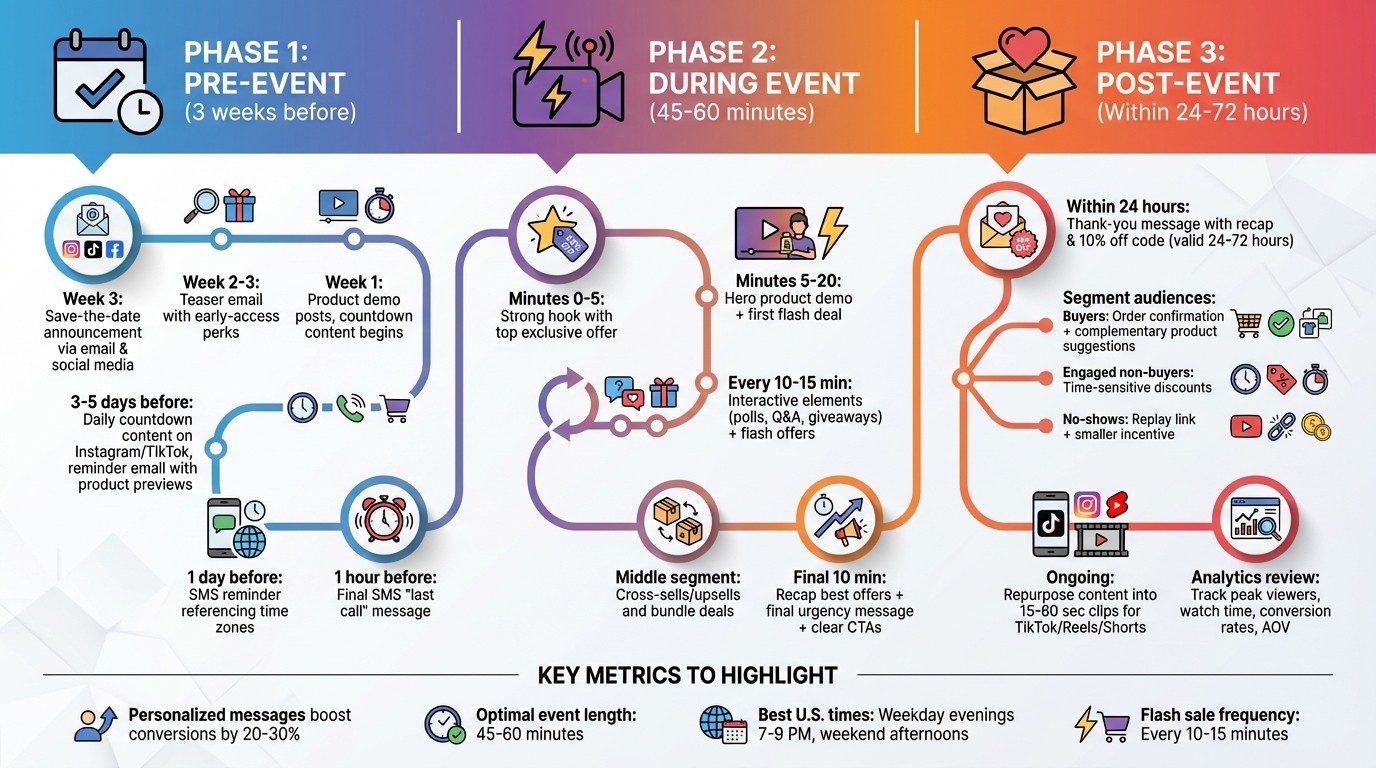
Start promoting your event at least three weeks in advance. Begin with a save-the-date announcement through email and social media, then ramp up to daily countdown-style content on Instagram and TikTok during the final three to five days. Use tools like native countdown stickers and event reminders so viewers can easily enable notifications.
Plan your email and SMS reminders strategically. For example, send a teaser email with early-access perks two to three weeks ahead, followed by a reminder with product previews three to five days before the event. On the event day, send a final “last call” message. For SMS subscribers, send reminders one day before and one hour before the event, always referencing their local time zones (e.g., “8:00 p.m. ET / 5:00 p.m. PT”). Boost attendance by offering exclusive incentives like discount codes, raffle entries, or bonus gifts for the first 100 viewers.
When teasing your event, aim to spark curiosity without revealing everything. Share short clips - 15 to 30 seconds - featuring close-ups or behind-the-scenes content without giving away full product details. Use phrases like “lowest price this season” or “bundle savings up to 30%” instead of exact numbers to hint at deals. Highlight live-only perks with language such as “Only during the live,” “First 50 orders only,” or “Limited spots for a live mini-consultation”. A week before the event, post a quick product demo with overlay text showing the date and time. Then, 24 hours before, share a more direct message designed to create FOMO, like “You’ll never see this under $20 again”.
Creating Your Event Content Plan
A well-structured content plan is key to keeping your audience engaged. For a 45–60 minute event, start with a strong five-minute hook that highlights your top exclusive offer. Follow this with 10–15 minutes focused on your hero product, including its benefits and stories, and drop your first limited-time code or bundle deal during this segment. Every 10–15 minutes, mix in interactive elements like polls, mini Q&A sessions, or giveaways alongside flash offers (e.g., a five-minute price drop or a deal for the next 20 orders). Use the middle portion of the event to promote cross-sells or upsells, tying products into routines or bundles. Wrap up with a 10-minute recap of the best offers, a final urgency message, and clear calls-to-action.
Plan urgency triggers in advance, including time-limited deals (e.g., valid for 10 minutes) and quantity-based offers (e.g., only 50 units at this price). Consider adding surprise discounts if viewer numbers hit a certain threshold, but keep urgency moments limited to avoid overwhelming your audience. Be transparent about stock and deadlines - repeatedly extending “final” offers can erode trust.
Interactive features should enhance the event without overshadowing your sales moments. Each poll, Q&A, or giveaway should serve a specific purpose. For example, you could run a poll asking viewers to pick which color should be discounted next, then immediately launch a flash deal on the winner. Pre-write poll options, key questions, and giveaway rules to streamline execution. Assign a team member to moderate the chat, highlight top questions, and manage overlays or graphics as needed. This approach ensures that interactive elements keep viewers engaged and support your sales goals rather than disrupting the flow of your event.
Running Time-Sensitive Tactics During Your Event
Using Interactive Features to Keep Viewers Engaged
Keeping viewers engaged is crucial for turning them into buyers. A simple way to do this is by responding to comments in real time and addressing viewers by name when possible. This personal touch makes them feel seen and keeps them involved in the conversation. If someone asks about product details like sizing or ingredients, answer directly on camera. These instant responses help build trust quickly.
Plan regular interactive moments to keep the energy up. For example, you could run a quick poll asking viewers which product color should go on sale next, then immediately launch a flash deal based on the winning choice. Adding short Q&A sessions or surprise giveaways can also prevent viewers from losing interest while keeping the vibe lively.
While having a structured plan is important, leave room for spontaneity. If a viewer shares a creative way to use your product, highlight their comment and explore it live. Assign someone on your team to monitor the chat and pass along the most relevant questions, so you can focus on hosting without missing key interactions. This active engagement not only keeps viewers hooked but also sets the stage for timely flash sales that can turn interest into immediate action.
Using Flash Sales and Limited-Time Offers
Flash sales are a great way to build on the excitement generated by interactive segments. Launch these offers during peak engagement moments, such as right after a product demo or poll. For instance, you could announce a discount code valid for just 10 minutes or a deal for the next 20 orders only. Adding a countdown timer on screen - like "Five minutes left to grab this bundle deal" - creates a sense of urgency that motivates viewers to act fast.
To keep the momentum going, mix up your urgency tactics. Alternate between time-based deals (e.g., "Only 10 minutes left") and quantity-limited offers (e.g., "Just 15 items in stock") to keep the audience engaged without overwhelming them. Spacing these offers 10–15 minutes apart gives viewers enough time to process each deal.
Honesty is critical. If you say "final offer", stick to it. Extending deadlines or repeating "last chance" deals can hurt your credibility and make future urgency tactics less effective. Showing real-time stock updates can also add transparency. If an item sells out, acknowledge it and shift focus to the next featured product.
Using AI for Real-Time Engagement
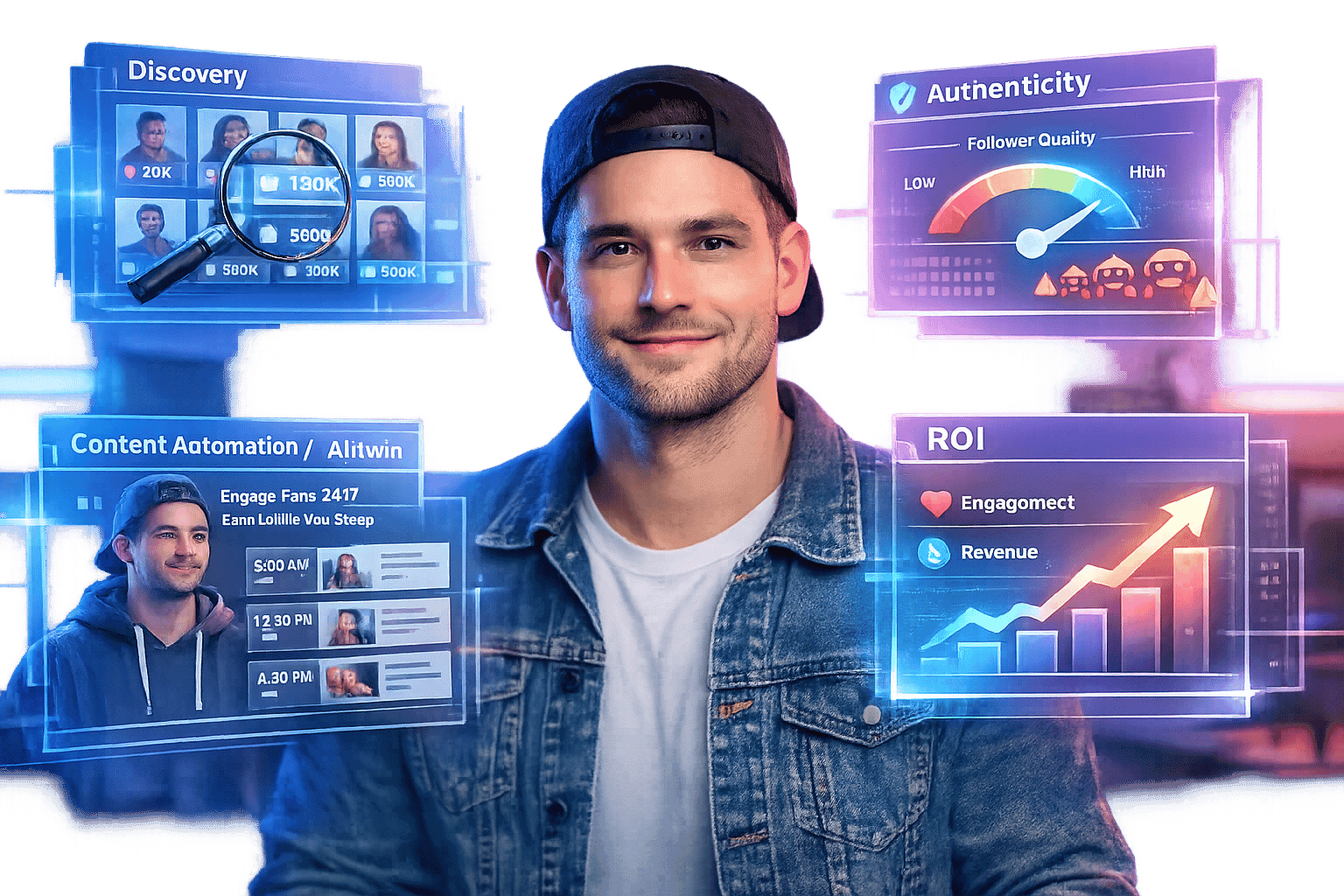
AI tools can extend your event’s reach by bridging live interactions with ongoing sales opportunities. Take TwinTone's AI Twins, for example - they transform creators into 24/7 content engines capable of hosting AI-powered livestreams. These AI Twins can demonstrate products in over 40 languages, making it possible to run live shopping events across different time zones without the need for constant human coordination. For brands managing multiple products or trying out different presentation styles, this technology can even generate on-demand shoppable videos from simple product images, ensuring your social commerce efforts stay active.
A hybrid approach that combines AI and human hosts can elevate your event even further. Use AI Twins for routine tasks like product demos or answering FAQs during less busy hours, and bring in human hosts for major launches or events that thrive on real-time, unscripted interaction. This setup not only scales your content delivery but also allows you to adjust strategies on the fly using real-time data, like viewer engagement metrics.
AI can also personalize the experience for each viewer. For instance, TwinTone’s technology can analyze viewer behavior during the stream and suggest products tailored to their interests or past interactions. This level of customization makes the experience more relevant and increases the likelihood of both engagement and sales - all without requiring your team to manually manage audience segments or multiple streams simultaneously.
Get tips and tricks for Live Shopping - Highlights
Post-Event Follow-Up Strategies
Once you've created a buzz during your live event, keep the momentum going by focusing on strategies that drive conversions and build loyalty.
Sending Personalized Follow-Up Messages
Capitalize on the excitement of your event by sending a thoughtful thank-you message within 24 hours. Include a quick recap, links to featured products, and a special offer - like an extra 10% off, valid for the next 24–72 hours.
To make your follow-ups even more effective, segment your audience. For example:
Send buyers an order confirmation with suggestions for complementary products.
Target engaged non-buyers with time-sensitive discounts to encourage purchases.
Provide registrants who missed the event with a replay link and a smaller incentive to spark their interest.
Personalize these messages whenever possible. Mention specific products viewers showed interest in, such as: "Thanks for asking about the XYZ blender! Use code THANKYOU10 to get 10% off." This level of customization can boost conversion rates by 20–30% compared to generic emails. By maintaining the urgency and exclusivity of your live event, you can keep the audience engaged and motivated to act.
Reusing Live Content for More Reach
Give your live event a second life by repurposing its content. Start by offering the full recording as an on-demand, shoppable video on your website. Then, break it down into short, engaging clips (15 to 60 seconds) that showcase key demos, before-and-after moments, or answers to FAQs.
Format these clips vertically for platforms like TikTok, Instagram Reels, and YouTube Shorts to maximize their reach. You can also embed them on product pages as authentic demos or use high-performing segments - like those with spikes in comments or sales - in paid social ads or evergreen marketing campaigns.
Planning ahead makes this process smoother. For instance, script specific segments during the event, such as a "5-minute demo" or "FAQ block", so they can be easily edited into standalone, shoppable videos. These repurposed assets not only extend your event's impact but also provide valuable content for future campaigns.
Reviewing Event Performance Data
Dive into your event's data to see what worked and where there’s room for improvement. Track metrics like peak concurrent viewers, unique viewers, average watch time, engagement (comments, likes, polls), conversion rates, total revenue, average order value (AOV), and items per order.
Analyzing this data can reveal patterns. For example, if viewers tend to drop off after 45 minutes, consider shortening your next event. Or, if a 30-minute flash sale converts at 15% while a later offer only hits 5%, prioritize your best deals earlier in the stream.
Integrating your live platform with CRM and analytics tools can also help you create behavior-based audience segments. For instance, you can identify viewers who watched for over 10 minutes but didn’t make a purchase, then target them with automated follow-ups and cross-sell opportunities for future events. By using data to refine your approach, you can make each event more impactful than the last.
Scaling Live Shopping with AI and Automation
Pulling off successful live shopping events takes a lot of effort, from coordinating schedules to keeping the energy high. But with AI-powered tools, you can now maintain the excitement of live shopping 24/7 - without exhausting your hosts or missing key time zones. Here's how AI and automation are making live shopping more scalable and engaging.
Running 24/7 AI-Powered Livestreams
Traditional live shopping is bound by human availability and specific time zones. Enter TwinTone's AI Twins - digital versions of real creators that can host livestreams around the clock, in multiple languages. Imagine scheduling themed sessions like "Deal Drop" at 11:00 p.m. PT or "Coffee & Unboxings" at 8:00 a.m. ET, complete with scripted flash sales, countdown timers, and real-time inventory updates like "Only 12 left in size M." Because these AI Twins are modeled after real creators, they offer a personalized and engaging experience.
The system connects directly to your inventory and pricing rules, ensuring urgency messages are accurate and that limited-time discounts end exactly when they're supposed to. This means your livestreams can keep running smoothly, day or night, without missing a beat.
Generating On-Demand UGC at Scale
With AI, creating user-generated content (UGC) becomes fast and effortless. By simply inputting product details into TwinTone, brands can generate authentic-looking videos, such as unboxings or first impressions. These clips mimic the casual, vertical style that thrives on platforms like TikTok and Instagram Reels, and they can be customized for different audiences in no time.
Use these AI-generated videos to build hype for upcoming live events with countdowns and "don't miss out" messaging. They also work great for retargeting ads aimed at viewers who watched but didn’t make a purchase. For a weekend sale, for example, you could spin up fresh content in minutes. To keep things feeling genuine, mix AI-generated clips with real customer reviews, and experiment with different hooks - like problem-solving, before-and-after demos, or price-focused angles - to see what resonates most and boosts conversions.
Automating Social Commerce Workflows
AI doesn’t just power the livestreams - it streamlines the entire process, from planning to execution and analysis. By analyzing past events, AI can pinpoint the best time slots (e.g., Thursday 7:00–9:00 p.m. ET), top-performing product bundles, and ideal price points for your audience. It can then auto-generate event calendars, draft platform-specific posts, write email subject lines, and create SMS reminders - all scheduled to go out at optimal intervals, like seven days, three days, 24 hours, and one hour before the event.
During the event, AI handles repetitive tasks like answering FAQs in the chat, suggesting upsells when engagement spikes, and triggering flash deals if certain products aren’t selling as expected. After the event, it compiles detailed dashboards with metrics like viewer numbers, watch time, click-through rates, conversions, average order value, and revenue per minute. It even offers actionable recommendations for your next event.
With TwinTone, all these processes - AI Twins, content creation, and analytics - work together seamlessly. This makes it easier to run frequent, high-impact campaigns built around urgency, all without needing to expand your team.
Conclusion
Live shopping thrives when you focus on the right strategies: timing your events during peak hours, creating buzz beforehand, running a polished show with flash sales, and following up with personalized messages. These steps are proven to turn viewers into buyers, with data showing they consistently deliver better results.
What sets live shopping apart from traditional ecommerce is its ability to engage audiences in real time. Features like live Q&A, product demonstrations, and time-sensitive offers create a sense of urgency that drives higher conversions. After your event, take the time to review your metrics - such as watch time, click-through rates, and revenue per viewer. Use this data to identify highlights, turn them into shoppable videos, and refine your approach for future streams. These insights can help you scale your efforts and improve results over time.
AI can take these strategies to the next level. Tools like TwinTone's AI Twins allow you to run 24/7 livestreams in multiple languages and time zones, produce on-demand UGC videos based on your best-performing segments, and handle repetitive tasks like answering FAQs and activating flash deals. Instead of replacing the human element, AI enhances it, enabling your brand to deliver the energy and urgency of live shopping around the clock.
To put these ideas into action, try hosting a 30–45 minute live stream during a prime time slot - like Thursday at 7:00 p.m. ET. Include at least three moments of urgency, promote the event for a week with clear time zone details and exclusive live-only perks, and follow up with your audience within 24 hours. Compare the engagement and revenue from this experiment to your usual channels. Once you’ve identified what works, tools like TwinTone can help you transform those winning moments into ongoing content that continues to drive sales long after the livestream ends.
FAQs
How does AI improve engagement during live shopping events?
AI is transforming live shopping events by introducing AI-driven hosts that interact with viewers in real time. These hosts can respond to questions, demonstrate products, and even provide instant tutorials, making the experience more engaging and tailored to the audience.
Brands can also use AI to expand their live shopping reach without limits. With 24/7 availability, AI ensures product presentations and customer interactions run smoothly at any time, creating a more fluid shopping experience and boosting conversion rates.
How can I create a sense of urgency during live shopping events?
To create a sense of urgency during live shopping events, try incorporating limited-time offers, countdown timers, or exclusive deals. Phrases like "Today only", "Limited stock", or "Offer ends soon" can nudge viewers to make quicker decisions.
You can also use tools like AI-powered livestreams to enhance real-time engagement. These tools allow you to answer questions instantly and highlight products effectively, making it easier for shoppers to decide on the spot.
How can I effectively segment my audience for a live shopping event?
To get the most out of a live shopping event, it’s smart to group your audience into segments based on things like purchase history, interests, and demographics. Why? Because this lets you fine-tune your messaging and product recommendations to match what they’re actually looking for.
For instance, you could create groups for loyal customers, first-time shoppers, or people who lean toward specific product categories. With this insight, you can offer personalized deals, spotlight products they’re likely to love, and craft calls-to-action that feel tailor-made. This not only makes your livestream more engaging but also helps drive more conversions.